
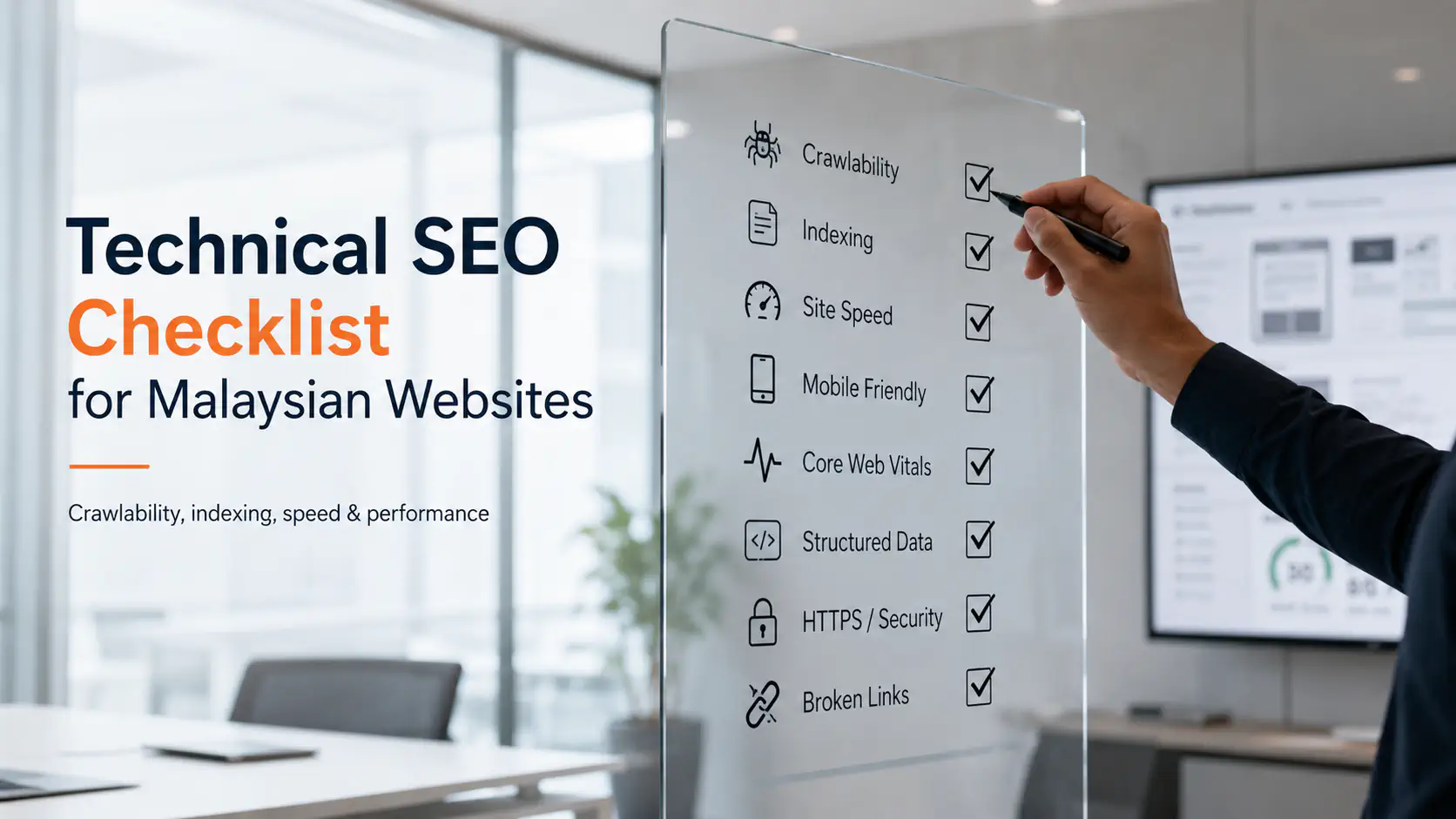
A website can have excellent content and still struggle in Google if search engines cannot reliably access, render or understand it.
That is the job of technical SEO.
- It deals with the infrastructure behind search visibility:
Can Google crawl the website?
Can important pages be indexed?
Are duplicate URLs being handled correctly?
Does the mobile website contain the same important information?
Can Google render JavaScript content?
Are redirects working?
Is the site fast enough for users?
Does structured data accurately describe the page?
Are international or multilingual versions configured correctly?
Google's minimum technical requirements are surprisingly simple. Googlebot must not be blocked, the page needs to return a successful HTTP response and the page must contain indexable content. Meeting those requirements makes a page eligible for indexing, but Google explicitly notes that indexing is still not guaranteed.
The difficulty comes from everything that can go wrong between those basic requirements and a healthy website.
This checklist is designed for Malaysian business websites, ecommerce stores, service businesses and companies using modern frameworks such as React, Next.js or other JavaScript-based platforms.
It is organised by priority.
Critical: Can directly prevent important content from being crawled or indexed.
High: Can materially affect technical search performance or user experience.
Medium: Important optimisation that should be addressed once the foundations are correct.
Monitor: Does not necessarily require immediate changes but should be reviewed regularly.
Understanding the Cost
Technical SEO costs vary depending on:
- business goals
- competition
- project scope
- industry
- advertising budget and wider marketing activity
- website size
- CMS or framework
- ecommerce complexity
- number of languages
- number of locations
- development requirements
- severity of existing issues
A WordPress service website with 30 pages is very different from an ecommerce store with thousands of product and filtered category URLs.
A JavaScript application can also require more technical investigation than a conventional server-rendered website because crawling, rendering and indexing need to be checked separately. Google confirms that it can run JavaScript, but also notes that JavaScript websites introduce additional considerations and limitations for search engines.
Some technical SEO fixes can be handled inside a CMS.
Others require a developer.
- Before comparing technical SEO quotations, establish whether the scope includes:
- diagnosis
- implementation
- development
- testing
- Search Console monitoring
- post-fix validation
Finding a problem and fixing a problem are two different scopes.
Technical SEO Checklist
1. Verify Google Search Console
Priority: Critical
Before diagnosing technical SEO, make sure the website has a verified Google Search Console property.
Search Console provides first-party information about how Google is crawling, indexing and serving your website.
Review
- Page indexing
URL Inspection
- Sitemaps
- Core Web Vitals
- Search performance
- Crawl statistics
- Manual actions
- Security issues
For JavaScript websites, Google's URL Inspection Tool can also help identify rendering problems and show information about how Google sees the page.
Checklist
- Search Console property is verified
- Correct HTTPS domain is being monitored
- Important site variations are accounted for
- Sitemap has been submitted
- Indexing reports are reviewed
- Manual Actions report is clear
- Security Issues report is clear
Do not rely entirely on third-party SEO tools when Search Console data is available.
2. Check Whether Googlebot Is Blocked
Priority: Critical
Google cannot index content it cannot properly access.
Check
- robots.txt
- robots meta tags
- X-Robots-Tag
- authentication requirements
- firewall rules
- CDN bot protection
- server restrictions
Google states that pages blocked from crawling are unlikely to appear normally in Search.
A common website-launch problem is leaving staging restrictions active after the site goes live.
Checklist
- Production site does not contain accidental Disallow rules
- Important pages are accessible without login
- Important pages do not contain accidental noindex
- CSS and JavaScript resources needed for rendering are accessible
- CDN or firewall rules are not blocking Googlebot
3. Confirm Important Pages Return HTTP 200
Priority: Critical
Important indexable pages should normally return an HTTP 200 success status.
- Check for:
- 404 errors
- soft 404s
- 500 errors
- 503 errors
- accidental redirects
- timeout errors
Google includes a successful response among its minimum technical requirements for indexable pages.
Check your money pages first
Prioritise
- homepage
- service pages
- product pages
- category pages
- location pages
- important blog content
- contact pages
Do not treat every broken URL as equally urgent.
A broken primary service page deserves more attention than an abandoned campaign URL from five years ago.
4. Review XML Sitemaps
Priority: High
An XML sitemap helps Google discover URLs you consider important.
Google recommends including the canonical URLs that you want to appear in Search. A single sitemap can contain up to 50,000 URLs or 50 MB uncompressed. Larger websites need multiple sitemaps or a sitemap index.
Checklist
- Sitemap exists
- Sitemap returns HTTP 200
- Sitemap has been submitted to Search Console
- Only canonical URLs are included
- URLs return HTTP 200
- noindex pages are excluded
- Redirected URLs are excluded
- 404 URLs are excluded
- Sitemap updates automatically when pages change
For large websites, separating sitemaps can make diagnosis easier.
- Examples:
- /product-sitemap.xml
- /category-sitemap.xml
- /blog-sitemap.xml
This allows you to identify indexing problems by page type.
5. Check Canonical Tags
Priority: High
Duplicate and near-duplicate URLs are common.
- They may be created through:
- filters
- tracking parameters
- HTTP and HTTPS variations
- www and non-www versions
- pagination
- sort parameters
- product variations
- duplicate CMS routes
Canonicalisation helps search engines understand which URL should represent a group of similar pages.
Google recommends using consistent canonical signals and specifically warns against declaring one canonical in the sitemap while specifying another with rel="canonical".
Checklist
- Important indexable pages have sensible canonicals
- Canonical tags use absolute URLs
- Canonicals point to live URLs
- Canonicals do not point to noindex URLs
- Canonical signals are consistent with sitemaps
- Duplicate parameter URLs are reviewed
- HTTP and alternate domain versions resolve consistently
A self-referencing canonical is generally useful on canonical pages.
6. Check Redirects
Priority: High
- Redirects are essential during:
- website redesigns
- URL changes
- HTTPS migrations
- domain changes
- page consolidation
- content removal
Look for
- redirect chains
- redirect loops
- incorrect redirect destinations
- mass redirects to the homepage
- old URLs without appropriate replacements
Google recommends server-side redirects when permanently moving URLs.
During migrations, Google specifically advises checking for incorrect redirects, forgotten noindex directives, outdated sitemaps and insufficient server capacity.
Good redirect
- Old service page:
- /seo-company-malaysia/
- redirects to:
- /seo-services/
Poor redirect
Hundreds of unrelated deleted URLs redirect to the homepage.
The replacement should make sense for the user.
7. Find Broken Internal Links
Priority: High
Internal links help users and crawlers discover your website.
Google recommends using crawlable <a> links and ensuring that important pages can be reached through links from other discoverable pages.
- Check for
- links to 404 pages
- old redirected URLs
- broken navigation links
- broken image URLs
- orphan pages
- JavaScript-only navigation that crawlers cannot follow reliably
Checklist
- Important pages receive internal links
- Navigation links work
- Contextual links point directly to final URLs
- Broken internal links are fixed
- Orphan commercial pages are identified
Internal linking should be deliberate.
For example, Kaina's technical SEO articles can naturally support its SEO services in Malaysia when the reader needs implementation help.
8. Review Website Architecture
Priority: High
Important pages should not be difficult to reach.
Review
- main navigation
- service hierarchy
- categories
- breadcrumbs
- blog categories
- URL structure
- click depth
Google recommends logical URL structures and crawlable navigation.
For most business websites, important commercial pages should have clear routes from the homepage or major navigation areas.
Do not bury your highest-value service three menus deep.
9. Check Mobile SEO
Priority: Critical to High
Google uses the mobile version of website content for indexing.
Make sure the mobile experience contains the important content available on desktop.
Google recommends maintaining equivalent primary content, headings, metadata and relevant structured data across mobile and desktop experiences.
Checklist
- Important text exists on mobile
- Navigation works properly
- Titles and metadata are consistent
- Structured data remains available
- Images have appropriate alt attributes
- Forms work correctly
- Buttons are usable
- Content is not hidden unintentionally
- Mobile pages do not introduce different canonicals
You do not need to remove important content simply to create a shorter mobile design. Google specifically notes that content can be placed in accordions or tabs when space is limited.
10. Review Core Web Vitals
Priority: High
Core Web Vitals measure real-world user experience.
- Google currently uses:
Largest Contentful Paint (LCP)
Loading performance.
Good target: within 2.5 seconds.
Interaction to Next Paint (INP)
Responsiveness.
Good target: below 200 milliseconds.
Cumulative Layout Shift (CLS)
Visual stability.
Good target: below 0.1.
These are Google's current recommended thresholds for good user experience.
Common causes of poor performance
- oversized hero images
- slow server response
- excessive JavaScript
- third-party scripts
- poorly loaded fonts
- cookie tools
- chat widgets
- tag managers
- unoptimised video
- layout shifts caused by images or banners
Checklist
- Search Console Core Web Vitals reviewed
- Mobile problems reviewed first
- LCP element identified
- INP issues investigated
- CLS sources identified
- Field data considered where available
Do not optimise purely to achieve a perfect PageSpeed score.
Core Web Vitals are one part of a wider page experience and search system.
11. Optimise Images Without Breaking Indexability
Priority: Medium to High
Large images frequently affect website performance.
Review
- file dimensions
- compression
- modern formats
- responsive images
- lazy loading
- alt text
- image URLs
Lazy loading is useful, but it must be implemented correctly.
Google warns that content should not depend on user actions such as scrolling or clicking before it becomes accessible to Google Search. The URL Inspection Tool can be used to confirm that lazy-loaded images and content appear in rendered HTML.
Checklist
- Images are appropriately compressed
- Image dimensions are not unnecessarily large
- Important images load correctly
- Lazy loading does not require manual interaction
- Alt attributes describe meaningful images appropriately
12. Audit JavaScript Rendering
Priority: Critical for JavaScript websites
This is particularly important for websites built using:
- React
- Next.js
- Vue
- Angular
- other JavaScript frameworks
Google runs JavaScript using its Web Rendering Service, but Google also states that there are differences and limitations developers need to account for.
Use Search Console URL Inspection to compare:
- Initial HTML
- with
- Rendered HTML
Make sure important information appears after Google renders the page.
Check
- titles
- headings
- main copy
- product information
- internal links
- canonical tags
- structured data
- images
If critical content exists only after complicated client-side interactions, search engines may encounter problems.
Google recommends server-side rendering, static rendering or hydration over using dynamic rendering as a long-term workaround.
Checklist
- Important content appears in rendered HTML
- Each indexable page has a unique URL
- Internal links are crawlable
- Canonicals render correctly
- Metadata renders correctly
- JavaScript errors are reviewed
- Essential resources are not blocked
- Client-side routing does not create indexing problems
For Malaysian businesses moving from WordPress to Next.js or another JavaScript stack, this should be tested before replacing the existing site.
13. Check JavaScript-Based Lazy Loading and Infinite Scroll
Priority: High where applicable
Infinite scroll can create technical SEO problems when additional content has no unique URL.
Google recommends making individual chunks or pages accessible through consistent URLs and crawlable links rather than relying entirely on scrolling.
This matters particularly for:
- ecommerce categories
- property listings
- directories
- marketplace websites
- large blogs
Do not assume Google will scroll through the interface like a human.
14. Review Structured Data
Priority: Medium
Structured data can help Google understand specific types of information and can make eligible pages available for enhanced search features.
- Relevant schema types may include:
- Organization
- LocalBusiness
- Product
- Breadcrumb
- Article
- VideoObject
- Event
Use schema that accurately represents visible page content.
Checklist
- Correct schema type is used
- Required properties are included
- URLs are correct
- Business information is accurate
- Product information matches the page
- Breadcrumb schema matches navigation
- Markup validates successfully
- Structured data is present in rendered HTML
Do not add unrelated schema simply because an SEO plugin offers it.
15. Check HTTPS
Priority: Critical
Your public website should load securely over HTTPS.
Check
- certificate validity
- mixed content
- HTTP to HTTPS redirects
- internal links
- sitemap URLs
- canonical URLs
- structured-data URLs
All important signals should consistently use the preferred HTTPS version.
Migration mistakes involving HTTP and HTTPS can create duplicate or redirect problems, which is why Google's site-migration guidance specifically includes HTTPS moves.
16. Review Duplicate URLs
Priority: High
- Duplicate URLs can be created by:
- tracking parameters
- filters
- pagination
- sorting
- uppercase and lowercase variations
- trailing slash inconsistencies
- printer pages
- session parameters
- duplicated product routes
Google says duplicate content itself is normal in many situations, but excessive duplicate URLs can consume unnecessary crawling resources and create unclear canonical signals.
Checklist
- Duplicate templates are identified
- Canonicals are appropriate
- Parameter URLs are reviewed
- Filter combinations are controlled where necessary
- Sitemaps contain preferred URLs only
17. Review Faceted Navigation on Ecommerce Websites
Priority: High for ecommerce
Filters can generate enormous numbers of URLs.
- Imagine a Malaysian fashion store that allows users to filter by:
- colour
- size
- brand
- gender
- price
- material
- availability
Combinations of those filters can create thousands of crawlable URLs.
Google provides specific crawler-management guidance for faceted navigation because these systems can create large numbers of unnecessary URLs.
Determine which filtered pages have actual search value and which should primarily exist for users.
18. Check Hreflang for Multilingual Malaysian Websites
Priority: High if multiple languages exist
- Malaysian businesses may publish content in:
- English
- Bahasa Malaysia
- Chinese
- Tamil
If the site provides equivalent pages in multiple languages or regional versions, Google recommends explicitly identifying the alternate versions.
Checklist
- Each language version has its own URL
- Hreflang annotations are reciprocal
- Correct language codes are used
- Regional targeting is used only when necessary
- Canonicals do not conflict with hreflang
- Language versions do not automatically redirect users in ways that prevent crawling
Do not create multiple languages by replacing text through JavaScript on one URL.
Separate URLs make the content easier to discover and manage.
19. Check Locale-Adaptive Content Carefully
Priority: High where applicable
- Some websites automatically change content based on:
- IP address
- browser language
- detected country
Google warns that locale-adaptive websites may not have every variation crawled or indexed reliably.
If Malaysia, Singapore and other markets have significantly different pages, consider giving each important version a stable URL rather than relying entirely on automatic detection.
20. Review Local Business Information
Priority: Medium to High for local businesses
For businesses serving specific locations, check consistency between:
- website
- Google Business Profile
- contact page
- location pages
- structured data
- business name
- phone number
- operating hours
A Malaysian company serving Kuala Lumpur, Penang and Johor Bahru may require separate location information if genuine business operations exist in those places.
Do not create dozens of near-identical city pages simply to target keywords.
Local pages should provide useful location-specific information.
21. Check Page Titles and Meta Descriptions
Priority: Medium
This crosses into on-page SEO, but technical checks should confirm the site can output:
- unique titles
- unique meta descriptions
- sensible canonical tags
- proper heading structure
JavaScript-powered sites should confirm that these elements appear correctly in rendered HTML.
Look for
- duplicate titles
- blank titles
- templating errors
- titles inherited from staging
- pages displaying placeholder metadata
22. Make Sure Important Content Exists as HTML Text
Priority: High
Google recommends making important visual information available in textual form and using semantic HTML where possible.
A visually impressive page containing most of its important information inside:
- images
- videos
- canvas elements
- animations
may provide less accessible textual information to search systems.
Checklist
- Service descriptions exist as HTML text
- Product information exists as HTML text
- Important headings are real headings
- Calls to action are accessible
- Essential text is present in the DOM
23. Audit Pagination
Priority: Medium to High
Large category pages and blogs may use pagination.
- Make sure:
- pages have unique URLs
- pages can be discovered through crawlable links
- paginated URLs do not all canonicalise incorrectly to page one
- content does not depend entirely on user interactions
For infinite-scroll implementations, Google recommends linking sequentially to discoverable URLs.
24. Check 404 Pages
Priority: Medium
Removed content should return an appropriate status.
Review
- broken old URLs
- deleted products
- deleted posts
- malformed URLs
- external backlinks pointing to removed content
If a relevant replacement exists, redirect.
If no meaningful replacement exists, a proper 404 or 410 can be appropriate.
Do not redirect every removed URL to the homepage.
25. Audit Staging and Development Environments
Priority: Critical
This is particularly important during redesigns.
- Check whether staging environments such as:
- staging.example.com
- dev.example.com
- preview.example.com
are publicly accessible and indexable.
- Staging environments can create:
- duplicate pages
- leaked development content
- conflicting canonicals
- unwanted Search results
At the same time, make sure restrictions applied to staging are removed correctly when the production site launches.
Google identifies forgotten robots.txt and noindex restrictions as common website migration errors.
26. Check Website Migration Signals
Priority: Critical after redesigns or domain changes
A redesign is one of the highest-risk moments for technical SEO.
- Before launch, create a URL mapping:
- Old URL
- New URL
- Action
- Existing important page
- Equivalent new page
- 301 redirect
- Page URL unchanged
- Same URL
- Keep
- Consolidated page
- Best replacement
- 301 redirect
- Removed page with no replacement
- None
- 404/410
- After launch, check:
- redirects
- canonicals
- sitemap
- robots.txt
- noindex
- analytics
- Search Console
- internal links
- structured data
Google's site-migration documentation specifically identifies incorrect redirects, outdated sitemaps, accidental blocking and server-capacity problems as common migration mistakes.
27. Check Crawl Efficiency on Large Websites
Priority: Medium for ordinary sites, High for very large sites
Small Malaysian business websites generally do not need to obsess over crawl budget.
For large sites, it becomes more relevant.
- Examples:
- large ecommerce stores
- property portals
- marketplaces
- directories
- news platforms
The priority is preventing crawlers from spending excessive time on low-value URL combinations while important content receives insufficient attention.
Google specifically includes crawl-budget management within its guidance for large and frequently updated websites.
28. Review Server and DNS Reliability
Priority: Critical when issues exist
Google needs the website to respond reliably.
Monitor
- server errors
- DNS issues
- timeouts
- intermittent downtime
- overloaded hosting
Technical SEO cannot compensate for a website that regularly becomes unavailable.
Search Console Crawl Stats can help reveal unusual crawling behaviour or availability problems.
29. Check Generative AI Search Eligibility
Priority: Monitor
Do not create a separate technical architecture purely because AI Overviews and AI Mode exist.
Google's 2026 guidance is very clear that foundational SEO remains the basis for appearing in generative AI search experiences.
Google specifically recommends:
- crawlable content
- clear technical structure
- good page experience
- useful original information
- established JavaScript SEO practices where applicable
- reducing unnecessary duplicate content
Google also explicitly advises site owners to ignore supposed shortcuts such as unnecessary llms.txt files or other "AEO/GEO hacks" for Google Search.
Checklist
- Important pages are indexed
- Content is publicly crawlable
- JavaScript content renders properly
- Business information is clear
- Duplicate URLs are controlled
- Original content is accessible
- Search Console AI visibility reports are reviewed if available
Google began testing dedicated Generative AI performance reports within Search Console in June 2026, although availability is initially limited to a subset of websites.
There is no need to rebuild your technical SEO strategy around speculative AI tricks.
Technical SEO Priority Checklist
If you do not know where to start, use this order.
Fix Immediately
- Googlebot accidentally blocked
- Important pages marked noindex
- Important pages returning errors
- Production site inaccessible
- Major JavaScript rendering failure
- Wrong redirects after migration
- Canonicals pointing to incorrect domains
- HTTPS or certificate problems
Fix Next
- Sitemap errors
- Broken internal links
- orphan commercial pages
- duplicate URL problems
- Core Web Vitals failures
- mobile content differences
- JavaScript navigation problems
- faceted navigation issues
- hreflang errors
Optimise Afterwards
- structured data
- image optimisation
- crawl depth
- pagination
- metadata templates
- minor redirect chains
- local structured information
The priority should always depend on impact, not the number of warnings an SEO tool displays.
What SEO Practitioners Commonly See in Real Websites?
Current SEO discussions regularly return to the same practical issues.
A recent Reddit discussion about website visibility included technical checks such as indexability, mobile performance and structured data as fundamental parts of an audit.
Another recent discussion from a website owner described meaningful improvements after focusing on relatively unglamorous work such as Core Web Vitals, internal links, Search Console queries and consolidating pages competing for similar searches.
Reddit advice should not be treated as official SEO documentation.
But it illustrates something worth remembering:
Technical SEO is usually won through fundamentals, not obscure hacks.
Google's own current generative AI guidance reinforces the same message.
Do Malaysian Websites Need Special Technical SEO?
There is no special Google algorithm exclusively for Malaysian websites that requires a separate technical SEO system.
The technical fundamentals remain the same.
What changes is the implementation context.
A Malaysian website may need extra attention when it has:
- multiple languages
- multiple Malaysian locations
- Singapore or other regional versions
- ecommerce filters
- WhatsApp-heavy conversion journeys
- local business locations
- JavaScript frameworks
- mobile-dominant visitors
For multilingual websites, international SEO configuration becomes more important. Google provides dedicated guidance for multilingual and multi-regional sites.
For local businesses, technical structure should also support clear location and business information.
The Malaysian context changes what you implement, not the fundamental rules of crawling and indexing.
Technical SEO for Next.js and Modern JavaScript Websites
Modern JavaScript websites deserve particular attention because a site can look perfect in Chrome while important SEO information behaves differently during crawling and rendering.
Google processes JavaScript through crawling, rendering and indexing stages.
For a Next.js or similar application, check:
- server-rendered HTML
- client-side hydration
- page-level metadata
- canonical tags
- status codes
- unique URLs
- internal links
- sitemap generation
- robots.txt
- structured data
- redirect behaviour
- soft 404 pages
- rendered content
Google recommends server-side rendering, static rendering or hydration rather than treating dynamic rendering as a permanent JavaScript SEO solution.
This is one area where SEO and development need to work closely together.
When an audit identifies application-level issues, website design and development may be required to implement the solution rather than leaving the SEO team to repeatedly report the same issue.
What Tools Should You Use?
A practical technical SEO stack may include:
Google Search Console
For Google's own crawl, indexing, performance and Core Web Vitals data.
PageSpeed Insights
For performance diagnostics and Core Web Vitals information.
Rich Results Test
For validating supported structured data and rendered content.
URL Inspection
For checking Google's indexed and live understanding of individual URLs.
Website crawler
Tools such as Screaming Frog, Sitebulb, Semrush or Ahrefs can help inspect large numbers of URLs.
Third-party tools are useful for scale.
Google's own tools provide the direct search-engine perspective.
Use both.
How Often Should Technical SEO Be Checked?
Technical SEO should not be treated as an annual task that is forgotten afterwards.
The level of monitoring should depend on how frequently the website changes.
Small Business Website
Periodic monitoring may be sufficient if the website changes infrequently.
Active Content Website
Review indexing, crawling and performance regularly.
Ecommerce Website
Technical monitoring should be considerably more frequent because products, categories, filters and inventory continually change.
Website Under Active Development
Technical SEO should be part of the deployment and QA process.
Before and After Migration
Run technical checks both before and immediately after launch.
The more frequently developers change the website, the less practical it becomes to treat SEO as an external audit performed months later.
Should Technical SEO Be Done by the SEO Team or Developer?
Usually both.
The SEO specialist should identify:
- what is happening
- why it matters
- which pages are affected
- the appropriate search behaviour
The developer handles implementation when the issue involves:
- rendering
- routing
- server configuration
- templates
- JavaScript
- redirects
- performance
- CMS architecture
A good technical SEO recommendation therefore needs enough information for a developer to act.
Instead of:
- "Fix Core Web Vitals."
A useful recommendation might identify:
- affected templates
- failing metric
- likely cause
- example URLs
- evidence
- target behaviour
That reduces the gap between diagnosis and implementation.
Where Kaina Digital Fits
Kaina's SEO services in Malaysia include technical SEO audits alongside keyword mapping, content optimisation, local SEO and performance reporting.
Technical recommendations are particularly useful when they can actually be implemented.
If an audit identifies problems involving templates, JavaScript rendering, page performance, website architecture or CMS behaviour, Kaina's website design and development services can support the technical work.
For businesses where SEO sits alongside paid acquisition and other channels, Kaina's broader digital marketing services can connect technical website improvements with the wider customer journey.
The objective is not to generate the largest technical SEO report.
- It is to make sure the website:
- can be crawled
- can be indexed
- can be understood
- works properly for users
- and
- does not create unnecessary technical barriers to search visibility
Final Technical SEO Checklist
- Before you finish, confirm the essentials:
- Search Console verified
- Googlebot can crawl important URLs
- Important pages return HTTP 200
- Important pages are indexable
- robots.txt reviewed
- XML sitemap valid
- Sitemap submitted
- Canonicals checked
- Redirects checked
- Broken links fixed
- Important pages internally linked
- Mobile content verified
- Core Web Vitals reviewed
- Images optimised
- JavaScript content tested
- Structured data validated
- HTTPS working correctly
- Duplicate URLs controlled
- Faceted navigation reviewed where applicable
- Pagination crawlable
- Hreflang checked where applicable
- Staging site protected
- Migration redirects verified
- Server reliability checked
- Search Console monitored after changes
If the first five items are failing, fix those before worrying about minor schema warnings or a few milliseconds of performance optimisation.
Technical SEO works best when priorities follow business impact.